Stop guessing what to study today.
Opens Google Play · Contains ads. Optional PRO upgrade.
 On a computer?Scan with your phone to install.
LevelUp turns your syllabus into a clear day-wise plan — study, revision and tests already scheduled until your exam. Just open the app and follow today's tasks.


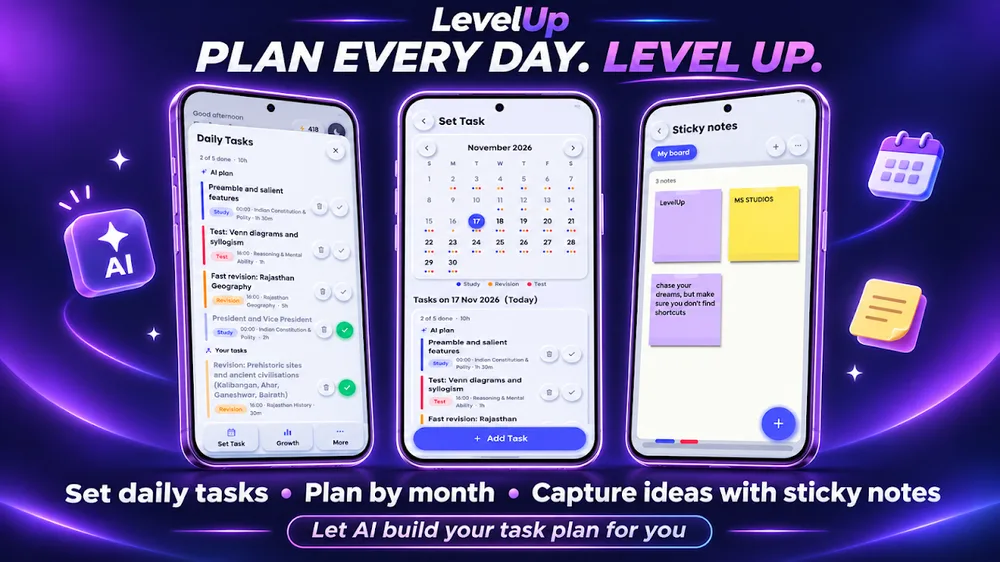
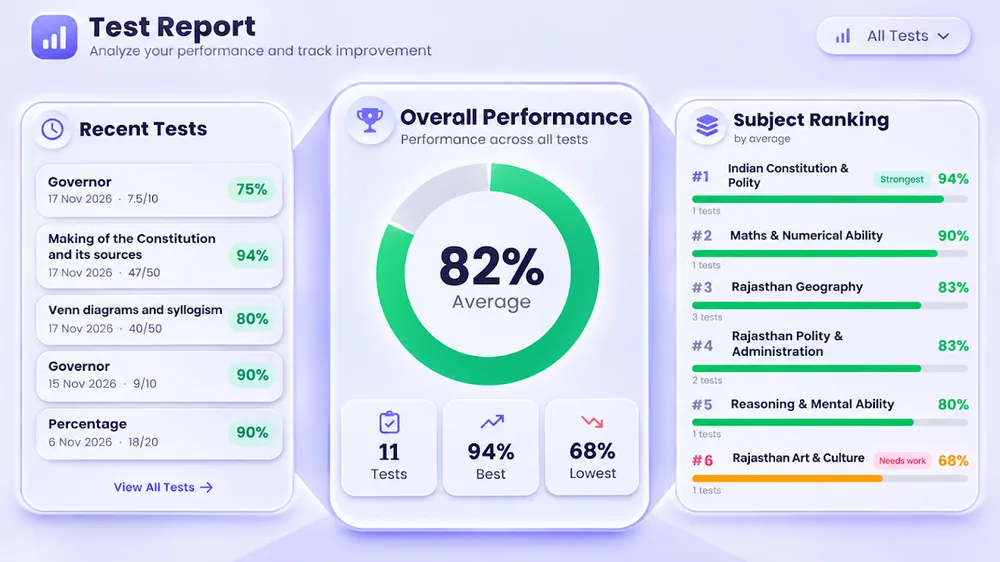
See it in action
Swipe or scroll sideways · tap a screenshot to enlarge
Everything you get, free to try
A plan built for you
Pick your class, subjects and chapters — LevelUp creates a complete day-wise plan. Set your exam date, choose your pace and daily hours (4 to 16) and focus on up to 3 priority subjects.
Revision that sticks
- Next-day revision and test for every chapter
- Saturday full-week revision
- Sunday test of everything revised
- Final mock rounds before the exam
Study timer
Stopwatch and countdown modes with an easy time wheel. Every minute counts towards your daily goal.
Missed a day? No problem
LevelUp warns you about missed tasks and rearranges your plan in one tap. Feeling low or sick? Your day adjusts automatically.
Track your growth
Daily, weekly and subject-wise stats, habit charts and weekly reports. Keep your streak alive!
25 badges
Earn achievement badges from Basic to Legend as you stay consistent.
Meet Fenny
Your cute fox study buddy cheers you on, celebrates your wins and keeps you motivated.
Notes, quotes & reminders
Sticky notes board, daily motivational quotes and study reminders so you never miss a session.
2 profiles, light & dark
Up to 2 student profiles on one phone, English and Hindi, light and dark themes.
Start in 3 simple steps
Tell LevelUp your exam
Choose class, subjects and chapters, set your exam date and daily study hours.
Follow today's plan
Open the app: study, revision and tests are already scheduled for each day.
Track and level up
Use the timer, tick tasks, build your streak and watch your stats grow.
Quick answers
Is LevelUp free?
LevelUp is free to install. It contains ads, and there is an optional PRO upgrade with extra tools.
Which exams is it for?
School students, board exams, competitive exams and anyone who wants to study with a plan.
Does it work in Hindi?
Yes, the app supports English and Hindi (हिंदी), with light and dark themes.
Does it need internet?
Your plan works offline and your data stays on your phone.
What if I miss a day?
LevelUp warns you about missed tasks and rearranges your plan in one tap — nothing gets lost.
Support
Write to msstudios.ltd.help@gmail.com.